
Hear it
Both versions play together and are level-matched. The button only changes which one you hear, so the position never jumps.
Audio demo coming shortly.
What one knob actually moves
Four controls. Underneath each one, a whole signal path. Pick one.
Drag the four macros to change the order, or focus one and use the arrow keys. This is the same reordering the plugin does.
Two bands that move
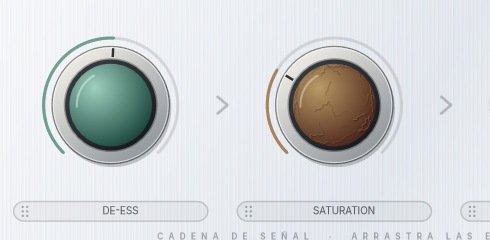
Two bells chase the real sibilant energy between 5 and 9 kHz instead of sitting on one frequency, the second one at 1.45× the first. The threshold is relative to the voice, not an absolute number, and a 15 ms hold stops it lisping on the way out.
- Q 1.4
- Attack 0.3 ms
- Release 40 ms
- Hold 15 ms
- Up to 12 dB of reduction
One number changes the whole harmonic signature
The curve is a tanh with a pinch of asymmetry. Near symmetric and the third harmonic dominates — clean tape. Push the asymmetry and the even harmonics come up — valve, chest, warmth. Above 7 kHz nothing is saturated, so the esses stay out of it.
- Drive 1 → 4.6
- Character: tape 0.03 → valve 0.10
- Nothing saturated above 7 kHz
- Normalised to reference level
- Oversampled
A tilt, not a bank of bands
Two shelves pivoting against each other: one knob leans the sound towards the bottom or the top. There is nothing to sweep and nothing to get wrong.
- Low shelf at 250 Hz
- High shelf at 4.5 kHz
- Up to ±6 dB
Two stages in series, not one
A slow leveler works on the phrase: RMS detector, 20 ms attack, ratio opening from 1:1 towards 8:1, and a vari-mu release that slows to 900 ms the harder you push it. A fast peak stage then sees what is left and tames the consonant. Both detectors are deaf below 120 Hz, so bass notes and plosives never trigger the compression.
- Stage 1 — 20 ms / 300 ms, to 8:1, knee 7 dB
- Stage 2 — 4 ms / 90 ms, to 12:1, knee 4 dB
- Detector high-passed at 120 Hz
- Enters from about 35% of the knob
What this order does
- Saturation before compression: the compressor then tames the harmonics saturation just added, so the colour stays in check.
- Compression before saturation: saturation then works on an already even signal, so the colour comes out consistent take after take.
- De-ess before compression: the sibilance is gone before the compressor can push it forward.
- De-ess after compression: it catches the sibilance the compressor just brought up.
- EQ before compression: the detector hears your tilt, so the compressor reacts to it.
- EQ after compression: the tilt shapes the result without steering the compressor.
The four macros run in whatever order you drag them into. Everything in the dashed boxes is always on and has no knob.
One knob, seven values
Turn the compression knob. Everything below is what actually moves inside the engine — these are the real numbers, not an illustration.
Stage 1 — leveler, works on the phrase
Stage 2 — peak, tames the consonant
Expander — lowers the gaps between phrases
Stage 2 does not exist below 35% of the knob, and fades in on a curve rather than switching on. Both detectors stay deaf below 120 Hz.
Glow and Glow Pro, side by side
| Glow | Glow Pro | |
|---|---|---|
| Four macro knobs — saturation, compression, de-ess, EQ | ● | ● |
| Chain you can reorder | ● | ● |
| Tonal Temperature | ● | ● |
| Delta mode | ● | ● |
| Loudness compensation and output ceiling | ● | ● |
| Compressor threshold, ratio, attack and release | – | ● |
| De-esser band, span, hold and range | – | ● |
| Saturation character, from tape to valve | – | ● |
| Tilt EQ hinges and range | – | ● |
| Makeup gain, so it works on a bus | – | ● |
| Ride — automatic level riding with lookahead | – | ● |
| A/B, copy, undo and redo | – | ● |
| Metering: spectrum, gain reduction, LUFS | – | ● |
| Price | Free | €9.99 |
Pro is not a different processor. Open it, touch nothing, and it sounds sample-for-sample identical to the free version — an automated test proves it on every build. Presets saved in Glow load in Pro without changing the sound.